A look underneath Blender’s interface: datablocks, users, and how the pieces of a scene relate to each other. A useful starting point for understanding what a script is changing, and why one edit can show up somewhere else.
Learn how relative vs absolute paths work, when to pack your files, how to unpack them, and what dangers come with packed data.
We’ll cover practical scripts to reload external data and tips for building a clean, portable file structure in real production workflows.
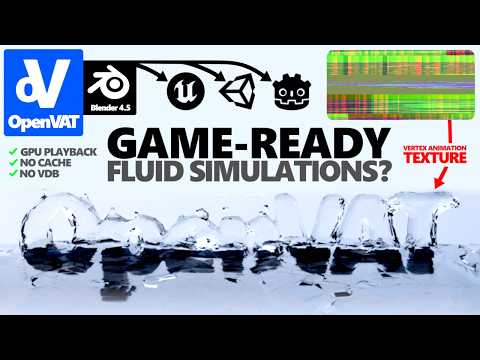
In this video, we break down what a Vertex Animation Texture (VAT) is and how they can be encoded — allowing you to turn any deforming animation (including Geometry Nodes, simulations, rigs, and modifiers) into a compact texture that can be decoded in real-time inside game engines like Unity, Unreal, Godot, and more.
OpenVAT (recently featured multiple times by 80.lv) is a Blender extension I've created to bridge the gap between complex vertex animation and game engine playback. Compatible with Blender 4.0 - Blender 4.5LTS.
Vertex animation for gameplay, using OpenVAT. The Unity side of the workflow gets its own attention here: taking baked motion into an engine and making it useful in a game.
In this video, I’ll walk you through the full pipeline: exporting VATs from Blender using OpenVAT, importing into Unreal, and setting up real-time playback with the included UE5 shader template.
OpenVAT 1.0.4 is here.
I've been stalling the release of more demo content and tutorials so I could get this update published - here, I'm releasing the full power of vertex animation texture encoding, and expanding the capabilities of VAT as a concept.
Import CSV node is already a game-changer, but what if it could export as well? Learn how to utilize the CSV node for more than arbitrary data - as a raw, human-readable, scriptable attribute cache.
The Issue (As I See It):
- Blender cannot use Autodesk’s FBX SDK due to GPL license incompatibility.
- Blender’s exporter is a reverse-engineered C implementation.
- FBX exports are always tagged as Y-Up in metadata—even if you select Z-Up.
- Blender bakes transforms into bones/meshes instead of relying on clean FBX metadata.
- Armature space is used directly; this results in a phantom -90° X rotation baked into the root .
Grid spacing/snapping, best practices for materials and UVs, exports and imports, basic lighting setup, and post processing - get rid of those ugly seams between your modular walls.
I cut out most rambling and build/loading screens. Feel free to leave a comment if I missed anything or if you have any further questions!
More of the process
Shorter tests and work in progress are in the dev log and on Instagram.
 Watch on YouTube ↗